
Guide to Social Media Marketing

Guide to Social Media Marketing Introduction Today, social media marketing is the centre linking brands and businesses to their target audience in this digital age. By 2025, this landscape of social media marketing will transform exponentially. This guide is set to uncover the emerging trends, new strategies, and most relevant tools defining social media marketing today. Last, the Evolution of Social Media Marketing: This segment of marketing has transformed no other since its emergence. What used to be purely promotional posting on social media networks like Facebook and Twitter has mushroomed into a highly complex system that involves thousands of different networks, types of content, and types of engagement. Short-form video content, influencer marketing, and AI-driven personalization are just some examples. Key Trends 1. Short Form Video Dominance: The TikTok and Instagram Reels have changed the dynamics of content consumption with their bite-sized videos. Brands utilize the various formats available to engage their audience with snackable content. 2. Influence Marketing: Influence marketing continues strong through micro and nano-influencers who provide authenticity in a brand’s attempt to connect. Collaborations involving them help access niche communities and build credibility. 3. AI and Automation: AI is changing how brands approach social media. Instant customer support by way of chatbots, recommendations by AI on what content should be consumed next, and efficiency in personalization through automation will drive the sector. 4. AR: The popularity of AR filters and experiences on social media like Snapchat and Instagram is growing. Brands use AR to create interactive, immersive experiences that catch the attention of users. 5. Social Commerce: E-commerce integration into social media platforms is growing, which is slowly eroding the lines between shopping and socializing. So, with features such as Instagram Shopping and Facebook Marketplace, purchasing becomes seamless within a social app. Successful tactics 1. Diversification of Content: Diversify your content mix to keep your audience engaged. Incorporate an array of content varieties, like videos, infographics, blogs, and user-generated content. 2. Engagement and Community: A good brand community inspires brand loyalty and builds trust with the target group. Interact with them and make sure to share live sessions and encourage participation through various kinds of engagement through user activity. 3. Data-Informed: Engage analytics on the preference patterns and behaviour of your target group. Use data for tweaking your content approach, optimizing post schedules, measuring campaign effectiveness, and more. 4. Storytelling: Make your message more compelling and emotional for your target audience by using storytelling. Storytelling humanizes your brand and helps create a bonding connection with your followers. 5. Paid Advertising: Although organic reach is great, paid advertising will boost that and offer targeted traffic. Channels like Facebook Ads and LinkedIn Ads offer robust targeting capabilities for reaching the niche desired. Tools and Resources In 2025, there will be a variety of tools that are well-suited to simplifying and making social media marketing efforts better. Some of the must-haves are the following: 1. Hootsuite: Comprehensive social media management for scheduling posts, monitoring mentions, and analyzing performance. 2. Canva: A simple graphic design tool for creating good-looking graphics and social media posts. 3. BuzzSumo: A tool that helps identify trending topics and popular content in your industry. 4. Sprout Social: Comprehensive tool for managing social media with scheduling, analytics, and engagement. 5. Later: A Visually of the Content Calendar to plan on Instagram, Facebook, Twitter, or Pinterest. — Social media marketing in 2025 is surely a colourful arena with an expanding range to fill the gaps in the interaction and relationship of any brand with the audience. Only by this aspect can any organization be able to achieve an effective hold over their marketing, according to the current trend, effective tactics, and better tools. The key is authentic, creative, and enthusiastic engagement. The success is surely to come.

Guide to Social Media Marketing Read More »

The Role of Influencers in Amplitifying User-Generated Content

In this fast-paced interconnected world of digital marketing, influencers have become a pivotal aspect-a shaping trend, changing consumer behavior, and so much more. As brands continue to vie for authenticity and trust, the role of influencers in amplifying UGC has proven to be the game-changer. How exactly do influencers magnify UGC and, better yet, why is this collaboration so impactful? First, let us understand what User-Generated Content is. User-Generated Content refers to images, videos, reviews, or testimonials created by consumers rather than brands. The content is real, relatable, and trustworthy for other consumers, making it a very influential marketing tool; however, this reach can only be amplified so much without an influencer. Credibility and Trust : Influencers develop a loyal clientele by being frank, relatable, and truthful. Their fan base values whatever they say; they consider influencers as “friends“ rather than just content deliverers. An influencer with UGC instantaneously gives some credibility and trueness to the posting, making it more impactful. Greater Reach and Engagement: One of the main advantages that influencers have is the immense reach to highly engaged audiences. The share of UGC among influencers typically spreads further than elsewhere, even gaining more engagement as compared to any other share of content. More followers may be likely to comment on and share the same post, besides making their own UGC that goes viral to give the main message a much larger amplitude. Authentic Storytelling: Influencers are masters of storytelling. They can easily integrate UGC in their stories in ways that connect with their audience. For instance, through personal experiences, usage of products, or customer testimonials, influencers bring the UGC to life and make it engaging for consumers. Authentic storytelling may lead to greater attention and engagement from consumers. Building Communities: Influencers are unique because they can create and nurture communities. By embedding UGC into their content, they create a sense of belonging and community in their followers. More consumers feel inspired to produce more UGC since they will know it is being viewed and appreciated by both the influencer and their community. It is a virtuous cycle that produces constant fresh and engaging content. The benefit of using the influence of those influencers to boost UGC will be cost-effective marketing. When compared to a traditional advertisement that is expensive and less personal, influencer marketing is usually much cheaper and gets better returns on investment. That way, using influencers to push authentic UGC will help increase the marketing budget. Improved SEO and Online Visibility: In the context of UGC shared by the influencers, many will include the brand’s site or social media links. In doing so, this increases website traffic and builds on the rankings for SEO. Furthermore, this increased attention on social networks makes the brand more visible in a wider population and, in turn, reachable to a better targeted audience of customers. Real-Time Feedback and Insights: Influencers can provide valuable real-time feedback and insights based on their audience’s reactions to UGC. Brands can use this information to refine their strategies, address any issues, and better understand their target market. This direct line to consumer sentiment is invaluable for continuous improvement and growth. In summary, the influence that exists between influencers and User-Generated Content is a force to be reckoned with in modern marketing. Influencers amplify the reach, credibility, and impact of UGC, making it a cornerstone of effective digital strategies. Brands can build trust, foster community, and drive meaningful engagement by leveraging the authentic voice of influencers. And in a world where authenticity is king, the influence and UGC collaboration not only amplifies the message but also creates real connections between consumers. And in the long run, it is these genuine connections that build brand loyalty and drive long-term success.  

The Role of Influencers in Amplitifying User-Generated Content Read More »

Advanced Custom Fields (ACF)

Advanced Custom Fields is one of the top WordPress plugins in its niche of custom field managers, offering flexibility in how people use WordPress with enhanced extension capability for developers and designers to develop or build various kinds of site and sites related to each niche, adding user experience. Description Purpose: Add custom fields to posts, pages, custom post types, users, taxonomy terms, media and options pages to create structured content. User-friendly Interface: Handle fields without coding in an intuitive admin UI. Developer-friendly: Functionality is available in PHP (get_field(), the_field()) and hooks for integration in themes and plugins. Key Features Custom Field Types – includes text, image, file upload, number, WYSIWYG editor, repeater, relationship, true/false and many more. Conditional Logic – Make fields appear or disappear based on certain criteria. Repeater & Flexible Content Fields (PRO) – Design dynamic, structured content layouts Options Page (PRO) – Store global settings for use sitewide. Custom Post Type & Taxonomy Support – Assign fields to custom content types with ease. REST API & GraphQL Support – Retrieve ACF fields programmatically for headless WordPress setups. Use Cases Why Use ACF? ACF has both Free and Pro versions; the Pro version is advanced with repeaters, flexible content, and options page.

Advanced Custom Fields (ACF) Read More »

What is a CMS?

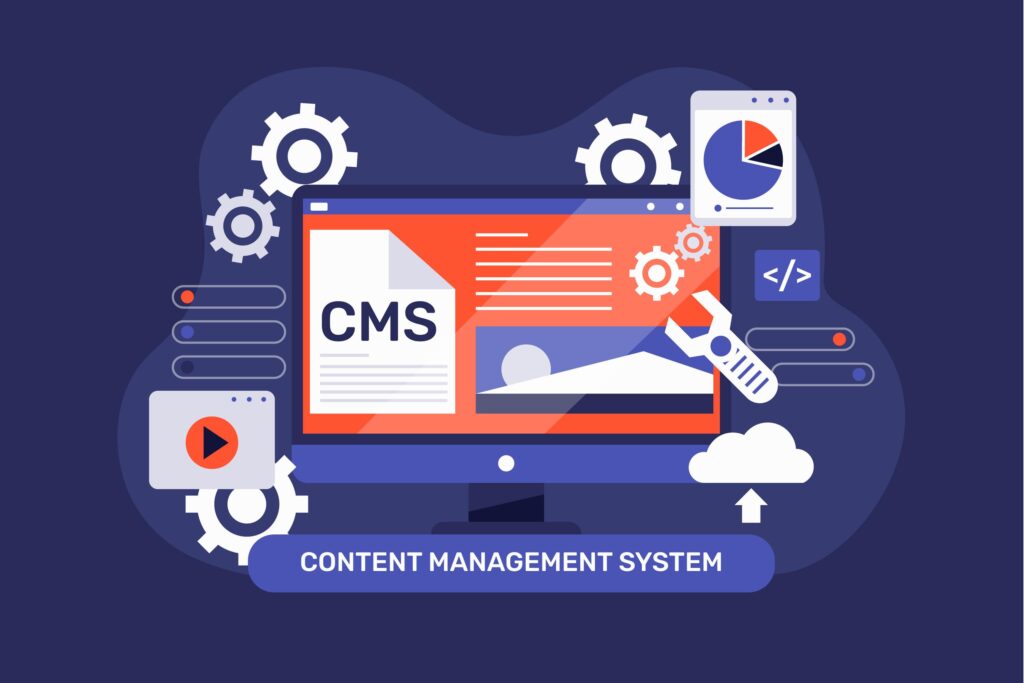
What is a CMS? A Content Management System, or CMS, is an application that lets the user build, edit, manage, and publish digital content without requiring significant technical knowledge. It helps people and businesses create and maintain websites quickly and efficiently by streamlining updates to content, media uploads, and changes to design. A CMS typically consists of two parts: Content Management Application (CMA) – an interface for none technical users used to create or modify content based on their request without writing one line of code. Content Delivery Application (CDA) The backend infrastructure: compiles delivers content to be presented on front-end website back-end so what the visitor’s see is to be published there. How do CMS work A CMS acts as a middleman between the user and the backend of the website. Instead of writing HTML, CSS, and JavaScript files directly, users can upload text, images, videos, and more through the CMS interface. The CMS stores all this data in a structured database and dynamically builds it when someone accesses the website. Here’s a simplified workflow of how a CMS works: The user logs into the CMS dashboard. Content is composed or edited by a visual editor or text-based editor. Multimedia files such as images and videos are uploaded and embedded within the content. The user publishes the content that gets stored within the CMS database. The CMS fetches and renders the content dynamically when a visitor accesses the site. Advantages of CMS A CMS provides many benefits over traditional methods of website development and management. Some of these advantages include: 1. Ease of use CMS programs have user-friendly interfaces, creating content and administrating without demanding any coding capabilities. 2. Flexible customization Most CMS providers offer customizable template and theme functionality, enabling any business to easily create a look and feel aligned with its overall brand identity and personality. 3. Collaboration and multi-user capability A good CMS enables simultaneous collaboration by any number of registered users. Users can include various roles, from writers to designers and editors; all of which can collaborate quickly and efficiently as needed. 4. SEO Friendly Most of them have built-in SEO tools such as editing metadata, structuring URL, and generating a sitemap to ensure more visibility for the website. 5. Content Scheduling Users can schedule content for posting at specific times, thus making marketing campaigns and editorial calendars easier to manage. 6. Security & Maintenance Most of the CMS systems will receive periodic security updates to fend off cyberattacks, and their plugins and extensions can enhance their security features. Types of CMS There are a variety of types of CMS that cater to various needs. Main types include: 1. Traditional CMS A traditional CMS, also called a coupled CMS, combines content management and the front-end presentation. Some popular examples are WordPress, Joomla, and Drupal. 2. Headless CMS Separation of Content Management from Presentation: Developers can use API to deliver the content in one or more platforms across websites, mobile applications, and IoT. Examples include Contentful, Strapi, and Prismic. 3. Decoupled CMS Decoupling separates the backend and the frontend, but it still offers a front-end delivery mechanism, unlike the headless CMS. Examples include Sitecore and Kentico. 4. E-commerce CMS These are CMS platforms developed specifically for e-commerce stores with features such as product management, payment processing, and order tracking. Some examples include Shopify, Magento, and WooCommerce. Common CMS Platforms There are a number of CMS platforms for businesses and content management. Here are some of the most common ones: 1. WordPress The most widely used CMS, which powers over 40% of websites in the world Very user-friendly and has a very large library of plugins and themes Ideal for blogs, business websites, and e-commerce 2. Joomla More flexible than WordPress but requires some technical knowledge Ideal for complex websites and online applications Offers multilingual support out of the box 3. Drupal Highly customizable and secure Best for large-scale and enterprise-level websites Requires more technical expertise compared to WordPress and Joomla 4. Shopify Dedicated e-commerce CMS Hosted solution with built-in security and payment integrations Best for small to medium-sized online stores 5. Magento Powerful and scalable e-commerce CMS Ideal for large businesses with extensive product catalogs Requires technical knowledge for customization 6. Wix Drag-and-drop website builder with CMS functionality Ideal for small businesses and personal websites Limited flexibility compared to WordPress Choosing the Right CMS Selecting the right CMS depends on your needs, technical expertise, and business goals. Consider the following factors: Ease of Use – If you’re a beginner, opt for a CMS with a simple interface like WordPress or Wix. Customization – If you need extensive customization, platforms like Drupal or Joomla may be better suited. Scalability – If you plan to grow your website, choose a CMS that can handle increased traffic and content, such as WordPress or Magento. Security – Consider security features and updates, especially for e-commerce and enterprise websites. Conclusion A Content Management System is an effective tool in simplifying website creation, management, and publishing. For anyone who blogs, owns a business, or develops, choosing the right CMS would make a great difference in website success. So many CMS choices are available. Knowing your requirements and looking around at various options will lead you to the perfect solution for you. By leveraging a CMS, you can focus on what truly matters – creating valuable content and growing your online presence.  

What is a CMS? Read More »

Unlocking the Power of Google SEO: Strategies and Benefits for Online Success

In today’s highly connected digital world, showing up in front of a computer screen is everything for businesses of all sizes. Search Engine Optimization has emerged as a critical step towards an online success journey. In many ways, this is coupled with Google, which remains the undisputed leader in search. This report will thus delve into the effective strategies employed for Google SEO and their compelling benefits. Understanding the Essence of Google SEO Google SEO is the art and science of optimizing your website and its content to rank higher in Google search results. This strategic approach enhances your visibility, attracts organic traffic, and ultimately improves user experience. By implementing effective SEO strategies, businesses can significantly increase their online presence and achieve their marketing goals. Key Pillars of a Successful Google SEO Strategy Keyword Research and Optimization: Keyword Discovery: Begin with finding relevant keywords that your target audience is actively searching for. Use tools such as Google Keyword Planner, SEMrush, and Ahrefs to find high-volume, low-competition keywords that fit your business goals. Strategic Keyword Integration: Seamlessly integrate these keywords into your website content, including meta descriptions, title tags, headers, and URLs. Remember, quality over quantity. Avoid keyword stuffing, which can negatively impact your rankings and user experience. Value-Oriented Content: Design content that is engaging, relevant, and informative but particularly targets the needs and interests of the desired audience. Google likes sites with valuable and original content. Content Relevance and Freshness: Update old content regularly and new, relevant content to show the activity and retention of users. On-Page SEO: The Foundation of Your Website Compelling Title Tags and Meta Descriptions: Work on compelling title tags and meta descriptions that match the content on each page but are enticing to click through on from search results. Clear Content Structure: Structure your content in a logical sequence using header tags (H1, H2, H3) so users and search engines can easily make sense of your content. Internal Linking: Link strategically to relevant pages on your website for better navigation and distribution of link equity throughout your site. Technical SEO: User Experience Smooth Ride Optimization of Site Speed: Site speed is paramount. A fast website not only makes the user experience better but also tells Google that your website is well-kept and friendly to users. Mobile-First Approach: Ensure that your website is fully responsive and mobile-friendly. Google prioritizes mobile-first indexing, so a seamless mobile experience is important for optimal rankings. Technical Foundation: Create and submit an XML sitemap to help Google index your site. Use a robots.txt file to guide search engine crawlers and prevent unwanted sections of your website from being indexed. Backlink Building: Earning Trust and Authority Quality Backlinks: Get high-quality backlinks from authoritative and relevant websites in your industry. These backlinks inform Google that your website is authoritative and trustworthy. Guest blogging: Include your quality guest posts on industry-related blogs to get backlinks and drive referral traffic to your website. Local SEO: Dominating Local Search Optimize your Google My Business listing by claiming and filling it with proper business information, quality photos, and customer reviews. Local Citations: Make sure you have consistent entries across all directories online about your business, your name, your address, and your phone number (NAP). The Overwhelming Benefits of Good Google SEO Increased Organic Traffic: Organic traffic on a website will improve as it ascends through search engine ranks. Organic traffic develops a solid set of customers, as people looking for those exact products or services come back regularly. Cost-Effective Marketing: Compared to paid advertising, SEO is cost-effective for online marketing. Once you have high rankings, you can enjoy sustained organic traffic with minimal ongoing costs. Superior User Experience: SEO practices such as optimizing site speed and mobile responsiveness directly impact a superior user experience. This leads to increased user engagement, lower bounce rates, and higher conversion rates. Higher Rankings on Google create a perception of trust and credibility about the brand. It will be observed that users rely on websites with good rankings. Thus, there can be an improvement in brand reputation. Competitive Advantage: This is also because optimization in the SEO strategy on a consistent basis keeps the marketer ahead in terms of knowledge regarding Google’s updates on the algorithms. Improved ROI: SEO offers an excellent ROI. The long-term benefits of sustainable organic traffic far outweigh the upfront investment required to implement and manage a solid SEO strategy. Local Dominance: For business owners with a focused local business, local SEO strategies boost visibility within your target area, bringing local customers to your site and generating foot traffic at your physical location. In conclusion, Google SEO is far from being only a technical game; it is a strategic investment in your success online. By following all the strategies explained in this guide and adapting and changing according to the search’s ever-changing environment, you unlock the full power of Google SEO and reach all your business’s goals.

Unlocking the Power of Google SEO: Strategies and Benefits for Online Success Read More »

How is Augmented Reality Used in Graphic Design?

Augmented reality is changing the face of graphic design, merging digital and physical experiences in ways that were never thought possible. Designers now use AR to create immersive, interactive visuals that engage audiences and redefine brand experiences. Whether in advertising, product packaging, or user interfaces, AR is transforming how we interact with digital content.   Improving Branding and Marketing AR allows brands to create dynamic marketing campaigns that captivate audiences. Companies use AR-powered graphics in advertisements, brochures, and posters, where users can scan a QR code to unlock interactive 3D visuals, videos, or animations. This approach makes static materials come to life, offering consumers an engaging experience that leaves a lasting impression.   Interactive Product Packaging Brands are now using AR to make product packaging more interactive. By scanning a package with a smartphone, users can access animations, product information, or even a virtual unboxing experience. This enhances customer engagement and provides valuable information in an innovative and entertaining way.   Revolutionizing UI/UX Design Graphic designers working in UI/UX development use AR to create more immersive and intuitive user interfaces. AR-driven mobile apps and websites now feature interactive elements, allowing users to visualize products in real-world environments before making a purchase. This has become particularly popular in industries like fashion, home décor, and retail, where customers can try out products virtually before buying.   Transforming Print Media Traditional print medium is being restrategized with AR integration. There are now AR-based infographics along with videos and animations in magazines and newspapers, available to scan to access certain pieces of extended content. This brings life to static print, making the reading experience more engaging and multi-dimensional.   Immersive Graphic Design for events and exhibitions Events, exhibitions, and trade shows are utilizing AR-powered graphics to create interactive booths and displays. Visitors can engage with digital overlays, 3D models, or real-time data visualizations using their smartphones or AR glasses. This elevates the overall experience, making it more engaging and memorable.   Future of AR in Graphic Design As AR technology continues to advance, graphic designers will have even more tools at their disposal to create stunning, interactive content. From AR-infused social media filters to virtual art installations, the possibilities are endless. Designers who embrace AR will not only enhance user engagement but also redefine the way audiences interact with digital media.   Conclusion Augmented reality is reshaping the graphic design landscape by adding interactivity, depth, and engagement to visual content. Brands, marketers, and designers are leveraging AR to create compelling experiences that bridge the gap between the digital and physical worlds. As this technology continues to evolve, its impact on graphic design will only grow, opening doors to even more creative and immersive possibilities.

How is Augmented Reality Used in Graphic Design? Read More »

Canva Video Creation: An Overview

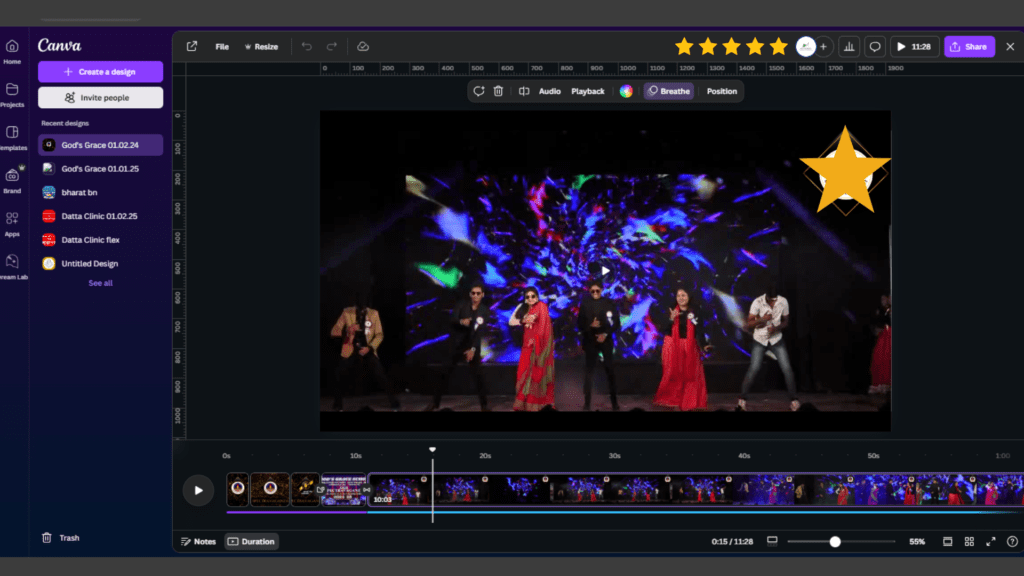
From templates, a plethora of premium features, and a great sound-engineering kit, Canva definitely offers something engaging for everyone. In this tutorial, you will find easy-to-follow steps to learn how to edit videos like a pro. Why Choose Canva Video Editing? Easiness: Drag-and-drop is fantastically easy. Templates: A dumping ground of high-quality templates. Affordability: No plan or premium plan. Collaboration: Real-time team collaboration. Browser-based: No downloads required. Editing Videos in Canva: Step-by-Step Process Sign Up or Log In: Time to create an account if you do not have one yet. Already have an account? You must log in. Choose a Template: On getting to the video section, select a template you want to work on. Upload Media: Begin dragging and dropping or inserting existing photo and video content into their proper slots. Steps to Edit the Video: Trimming and Splitting: Non-destructive editing with numerous layers. Adding Graphical Text and Transitions: Here we can expand the textual situation options and clip transitions in other video editing sets. Background Music and Voice Recording: Music libraries and a microphone can be fairly utilized in voiceovers. Customizing and Preview: You are editing the assets used in the project like changing colors, fonts, and effects. Keep previewing your approve edit till you get the desired effect on the spot. Exporting: Download or share the video in whatever format you want. Tips for a Wonderful Video Production Thematic Consistency: Will also reinforce feeling by supporting main themes like colors, fonts, and image styles. Go Short for Social Engagement: 15–90 seconds long is the sweetest spot. Anything beyond that should probably be handled a little differently. Well-Specced Media for a Good End: Enthusiasm may vary, though this isn’t one to skip. Subtitles for More Engagement: 70% more of your viewers have a wider retention if you lack sound. Animations: Spice up the entire gambling session with pull-off animations, bruh! Who Will Benefit from It? Small Business Owners: Run advertisements, develop how-to content Content Creators: Make videos for social media platforms Educators: Design engaging lessons and presentations Event Planners: Make highlight reels and invitations Conclusion Canva’s video editing tools will yield quick results in creating high-quality videos. Simplicity, a broad resource library, and collaboration elements make it a must try for those looking to create quality, professional videos with no hassle. Begin your Canva journey today!

Canva Video Creation: An Overview Read More »

10 Creative Workflow Hacks Every Designer Should Know

As a designer, your workflow is crucial to your productivity and creativity. But let’s face it: working on a design project from start to finish can sometimes feel like a marathon. Whether you’re designing logos, websites, or illustrations, maintaining focus and efficiency while staying inspired can be a challenge. Fortunately, there are simple but effective strategies you can implement to streamline your process and boost your creativity. Here are 10 creative workflow hacks every designer should know! Power Up Your Work Environment Your physical workspace plays a huge role in your design process. Make sure your environment is comfortable, inspiring, and free from distractions. Good lighting, an ergonomic chair, and a clutter-free desk will help you stay focused. Keep essential items within reach—think sketchbooks, coffee, or noise-canceling headphones. Setting up a space that fuels your creativity is one of the best investments you can make in your workflow. Organize Your Digital Workspace Your digital workspace should be as organized as your physical one. Create a folder structure that works for you and stick to it. Categorize your assets—logos, fonts, textures, and stock images—into labeled folders so they’re easy to find. Tools like cloud storage services (Google Drive, Dropbox, etc.) and design asset managers (like Adobe Bridge) can help you keep everything in order and accessible from anywhere. Master Keyboard Shortcuts Keyboard shortcuts are a designer’s secret weapon for speeding up repetitive tasks. Master the most common shortcuts in your design software—like Photoshop, Illustrator, or Figma—and watch how much time you save. Instead of wasting precious seconds clicking around, become familiar with commands for tools, layers, and navigation. You’ll soon find yourself working faster and with fewer interruptions to your creative flow.   Create Reusable Templates Templates are time-savers for any designer, and they help you avoid reinventing the wheel. If you frequently design items like social media posts, websites, or presentations, create reusable templates for different styles and sizes. Customize them for each project, saving you the hassle of starting from scratch every time. Not only does this streamline your process, but it also ensures consistency across your work.   Leverage Collaboration Tools Design is rarely a solo endeavor—collaborating with clients, developers, and other creatives is often key to a successful project. Using collaboration tools like Slack, Figma, or InVision helps keep everyone on the same page. Share designs, gather feedback in real-time, and ensure smooth communication throughout the project. Working together digitally has never been easier, and these tools can really speed up the iteration process. Optimize Your Design Process Efficiency in design doesn’t just happen; it’s something you actively work toward. One way to optimize your workflow is by creating and following a clear process. Whether it’s wireframing first, gathering references, or experimenting with color schemes before diving into detailed design, setting a roadmap will help you stay on track. Once you find a rhythm, it will make each project feel less daunting.   Maintain a Resource Library As a designer, you’re always collecting resources—fonts, brushes, patterns, textures, and stock imagery. Instead of keeping everything scattered in different places, organize your resources into a dedicated library. Tools like Creative Market, Envato Elements, or even your own organized folders can help you quickly access the materials you need for each project. You’ll find yourself saving time searching for the right assets, and it’ll encourage you to get creative with your designs.   Take Breaks and Recharge Design work can be mentally exhausting, especially when you’re deep into a project. Taking regular breaks is essential for maintaining focus and creativity. Step away from your computer, take a walk, stretch, or do something that refreshes your mind. The idea is to give yourself space to recharge so that you can approach your design work with a fresh perspective and more energy.   Embrace Flexibility and Experimentation Don’t be afraid to break the rules and experiment with new techniques. Design is a constantly evolving field, and sometimes the most innovative solutions come from trying something unexpected. Embrace flexibility in your process—be open to experimenting with new tools, styles, or workflows. The more you push the boundaries of your design comfort zone, the more you’ll discover new ways to solve creative challenges.   Thriving in a Creative World Finally, remember that thriving as a designer isn’t just about workflow hacks; it’s about nurturing your creativity. Surround yourself with inspiration, keep learning new skills, and stay connected with other designers. Creativity can ebb and flow, but by maintaining a healthy balance between productivity and inspiration, you’ll find yourself continually evolving and improving your craft. Design isn’t just about making things look good—it’s about problem-solving, communicating, and always pushing the envelope. By implementing these workflow hacks into your design routine, you’ll be well on your way to becoming more efficient, creative, and inspired. From organizing your workspace to embracing new tools, every tweak you make to your process will help you grow and improve as a designer.

10 Creative Workflow Hacks Every Designer Should Know Read More »

Digital Marketing or Social Media Campaign Success Stories: Examples and Lessons Learnt.

Success stories of successful digital marketing or Social Media campaigns are often taken as benchmarks in the ever-evolving digital marketing landscape. This is where businesses can understand what works and what doesn’t, and how these lessons can be applied to strategies. Here are some of the most impactful digital marketing campaigns, along with key takeaways from each.   Nike’s “Dream Crazy” Campaign   Summary:   In 2018, Nike launched the “Dream Crazy” campaign, featuring Colin Kaepernick, the NFL quarterback who had been kneeling during the national anthem to protest racial injustice. The campaign included a powerful video narrated by Kaepernick, encouraging people to “Dream Crazy.”   Strategy:   – Emotional Appeal: The campaign capitalized on strong emotions and a timely social issue. – Influencer Power: Using a key and polarizing figure like Kaepernick brought massive attention. – Multichannel Approach: Social media, television, and online channels were leveraged as channels.   Success Measures:   – Brand Engagement: The advertisement went viral within one month on social media, recording more than 80 million views. – Sales Impact: Even if there was a negative outcry at the campaign launch, Nike witnessed a 31% increase in online sales soon after that. – Embrace Controversy: Taking a stand on social issues can resonate deeply with the audience, though it carries risks. – Leverage Influencers: Powerful influencers can amplify your message and broaden your reach. – Multichannel Integration: Consistency across various channels maximizes impact and engagement.   Spotify’s “Wrapped” Campaign   Overview:   The “Wrapped” campaign by Spotify allows users to receive personalized information about their habits of listening throughout the year. The campaign is an annual affair and has made the users await it with anticipation as they go about sharing the results on their social media channels.   Strategy:   Personalization:   Personalized unique content makes this campaign very engaging.   User-generated content:   Promotion of this campaign through results from the user end increases its reach organically. Interactive Interactive features that the campaign brings to the forefront, such as playlists and graphics for sharing – Social Media Buzz: The campaign regularly trends on social media every year, with millions of users sharing their Wrapped results. – User Engagement: There is increased usage and retention within the Spotify app during the campaign period.   Key Takeaways:   – Leverage Personalization: Personalized content fosters a greater connection with the user and is more likely to be shared. – UGC: User-generated content can create a huge uplift in campaign views and engagement. – Interactivity: Interactive stuff increases user experiences and encourages engaging activities.   “Share a Coke” by Coca-Cola   Backgrounder:   Coca-Cola’s “Share a Coke” campaign, which personalized the Coke bottles using popular names with consumers to identify and share one with friends or family, is one of these campaigns. Originally launched in 2011, the campaign saw an immediate geographic expansion from the country of its origin, Australia.   Strategy-   Personalization: Using common names on bottles by Coca-Cola formed a personal interaction with the target consumers. – Social Sharing: The campaign asked people to share pictures of their customized Coke bottles on social media. – Experiential Marketing: Coca-Cola organized events and designed interactive experiences to engage consumers.   Results:   – Sales Growth: Coca-Cola gained 2% in U.S. sales following the launch of the campaign. – Social Media Impact: The campaign produced more than 500,000 photos shared and 25 million new Facebook followers.   Lessons Learned:   – Make It Personal: Personalization can fuel consumer engagement and brand loyalty. – Amplify Social Sharing: Social media sharing can be an effective way to increase campaign reach. – Create Experiences: The combination of digital and experiential marketing creates memorable consumer interactions.   Airbnb’s “#WeAccept” Campaign   Overview:   After the travel ban in 2017, Airbnb initiated the ” #WeAccept” campaign, encouraging diversity and inclusion. The campaign involved a Super Bowl ad and the promise to host 100,000 people in need.   Strategy:   – Social Responsibility: The campaign emphasized Airbnb’s commitment to social issues. – Compelling Storytelling: The campaign used emotional storytelling to convey its message. – Hashtag Campaign: #WeAccept encouraged ordinary people to share their own stories and support the cause.   Outcome/Results:   Positive PR through media coverage and positive public response Increased bookings and user engagement on the site soon after the campaign was launched on Airbnb.   Learning / Takeaway:   Champion Social Issues. Aligning the brands with social causes can enhance their perception as well as loyalty. – Tell a Story: Effective storytelling can develop an emotional relationship with the viewer. – Utilize Hashtags: Hashtag campaigns promote audience engagement and extend reach.   Old Spice’s “The Man Your Man Could Smell Like” Campaign   Overview:   Old Spice’s 2010 campaign, “The Man Your Man Could Smell Like,” was a humorous commercial with Isaiah Mustafa. This campaign was created to reposition Old Spice as a brand and attract a more youthful audience.   Strategy:   – Humor: The humorous nature of the campaign made it memorable and shareable. – Engaging Content: The commercials were interesting and entertaining, making them interesting to the audience. – Interactive Response Videos: Old Spice developed personalized response videos to social media comments, keeping the audience interested.   Results:   – Viral Success: The first commercial got more than 50 million views on YouTube. – Sales Spike: The body wash sales of Old Spice surged by 107% a month after the launch of the campaign.   Key Takeaways:   – Use Humor: Using humour can make your campaign more interesting and shareable. – Captivating Content: Engaging content grabs and retains audience attention. – Be Interactive: Interaction with your audience enhances engagement and loyalty.   Analysing successful digital marketing campaigns reveals common themes:    Personalization, social responsibility, emotional appeal, and interactivity. These campaigns show that knowing the audience and coming up with a message that can engage the audience can result in incredible success. Applying these lessons will allow businesses to develop effective marketing strategies that will connect

Digital Marketing or Social Media Campaign Success Stories: Examples and Lessons Learnt. Read More »

Bootstrap vs Tailwind CSS: Which Framework is Better for Modern Web Development?

In the fast-paced realm of web development, selecting the right CSS framework can significantly impact your project’s success. Two of the leading frameworks in use today are Bootstrap and Tailwind CSS. Each has its unique advantages and disadvantages, but which one aligns better with your specific needs? In this blog, we will explore the fundamental differences, practical applications, and the pros and cons of both Bootstrap and Tailwind CSS to assist you in determining the most suitable framework for your upcoming project. Key Points to Cover: Overview of Bootstrap and Tailwind CSS What is Bootstrap? What is Tailwind CSS? Ease of Use and Learning Curve Bootstrap: User-friendly with ready-to-use components. Tailwind CSS: More challenging to learn but provides greater flexibility. Customization and Flexibility Bootstrap: Limited customization options due to its predefined styles. Tailwind CSS: Highly customizable through utility classes. Performance and File Size Bootstrap: Larger file size because of its prebuilt components. Tailwind CSS: Smaller file size, especially with Purge CSS to eliminate unused styles. Design Consistency vs. Creativity Bootstrap: Promotes design consistency but may result in generic appearances. Tailwind CSS: Fosters unique designs but demands more effort. Community and Ecosystem Bootstrap: Boasts a larger community, comprehensive documentation, and numerous third-party resources. Tailwind CSS: An expanding community, excellent documentation, and modern tooling. Use Cases When to use Bootstrap: Ideal for rapid prototyping, beginner projects, or when design consistency is essential. When to use Tailwind CSS: Best for custom designs, modern web applications, or when performance is a top priority. Conclusion: Which is Better? The answer depends on your project requirements, team skills, and design objectives. Bootstrap is perfect for quick, consistent designs, while Tailwind CSS excels in highly customized projects.

Bootstrap vs Tailwind CSS: Which Framework is Better for Modern Web Development? Read More »

Scroll to Top